

What if I told you there’s a cloud deployment model that’s faster than containers, more secure than virtual machines, and has been hiding in plain sight for years? And what if I told you it boots an entire server in milliseconds?
Welcome to unikernels. They’re not new, but they’re finally ready for production. And Google Cloud Platform happens to be one of the best places to run them.
As a cloud architect who’s deployed both container and unikernel workloads across major cloud providers, I’ve watched the industry obsess over Kubernetes while largely ignoring a technology that solves many of the same problems with fewer moving parts and a dramatically smaller attack surface.
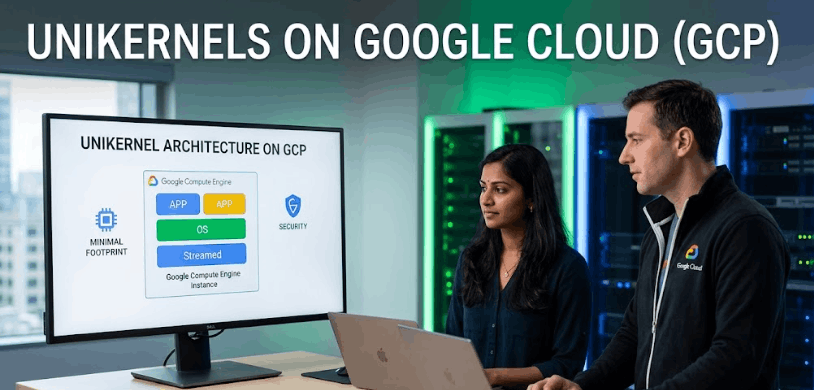
Unikernels on Google Cloud represent a fundamentally different approach to cloud computing. Instead of running your application on top of a full operating system (like Linux) inside a virtual machine, a unikernel packages your application with only the specific OS libraries it needs into a single-purpose, bootable virtual machine image. No users, no shell, no unnecessary services. Just your application and the minimum code required to run it.
In this guide, I’ll explain why unikernels are more secure than both traditional VMs and containers, how they interact with Google Cloud Platform’s infrastructure, and how to deploy your first unikernel on GCP using OPS.
What Are Unikernels and Why Should Cloud Architects Care?
Let’s start with what actually matters: why this technology exists and what problem it solves.
A traditional server deployment looks like this: hardware, hypervisor, full operating system (Linux kernel, system libraries, shell utilities, user management, networking stack, package manager, logging daemons), and then finally your application sitting on top of it all. That’s a lot of code running that has nothing to do with what your application actually does.
Containers improved this by sharing the host OS kernel, but they still inherit the full attack surface of that shared kernel. Every container on a host is one kernel exploit away from a breakout.
A unikernel takes a radically different approach. It compiles your application directly with the OS components it needs into a single bootable image. The result? A virtual machine image that might be 5-20 MB in size, boots in milliseconds, and contains zero unnecessary code.
The benefits of unikernels for cloud-native computing are significant:
Dramatically smaller attack surface. No shell means no shell-based attacks. No user accounts means no credential theft. No unnecessary services mean no vulnerable services. NanoVMs, the company behind the Nanos unikernel, puts it simply: “We don’t scan for hacked systems. We remove the tools hackers use to stop it in the first place.”
Faster boot times. Unikernels can boot two orders of magnitude faster than containers. We’re talking tens of milliseconds for a full server boot. This enables patterns like per-request server instantiation, where a fresh server with a fresh memory layout handles each incoming request.
Better performance. According to NanoVMs benchmarks, Node.js unikernels run up to 2x faster on GCP and up to 3x faster on AWS compared to traditional deployments. This isn’t marketing fluff. It’s a consequence of eliminating the overhead of a general-purpose OS.
Higher density. Without the bloat of a full operating system, you can run thousands of unikernel instances on commodity hardware, dramatically improving your application-to-hardware ratio.
Unikernels vs. Containers on Google Cloud: A Real Comparison
I know what you’re thinking: “Containers work fine. Why would I switch?” Fair question. Let me give you an honest comparison.
Security: This is where unikernels win decisively. A container shares the host OS kernel with every other container on the machine. If an attacker exploits a kernel vulnerability, they can potentially escape the container and access the host or other containers. A unikernel runs as an isolated virtual machine with its own minimal kernel. There’s no shared attack surface, no shell to exploit, and no multi-user system to compromise. Improving GCP infrastructure security with unikernels isn’t incremental. It’s architectural.
Boot time: Docker containers boot in seconds. Unikernels boot in milliseconds. For autoscaling scenarios and serverless-style workloads, this difference matters enormously.
Image size: A minimal Docker image might be 50-200 MB. A typical unikernel image is 5-20 MB, containing the entire bootable server. NanoVMs demonstrated an InfluxDB unikernel that was only 16 MB zipped, including the complete disk image.
Orchestration: Here’s where containers have the advantage. Kubernetes has a massive ecosystem, well-documented patterns, and broad industry adoption. Unikernel orchestration is simpler (OPS pushes orchestration onto the cloud provider directly), but the tooling ecosystem is smaller. If you need complex service mesh routing or canary deployments, Kubernetes has more mature solutions.
Development workflow: Containers offer faster iteration cycles during development. You can modify code, rebuild a layer, and redeploy in seconds. Unikernel builds are slightly slower, though the process has improved significantly with tools like OPS.
Live migration: Here’s a hidden advantage for unikernels: because the end artifact is a virtual machine (not a container), you get all the VM benefits like live migration that containers still can’t do properly.
The honest truth? Unikernels aren’t a universal replacement for containers. But for workloads where security, performance, and density are priorities, and especially for production deployments where you don’t need shell access, unikernels on Google Cloud are compelling.
The Security Architecture: Why the Small Attack Surface Matters
Let me get technical about why the small attack surface of unikernels is such a big deal.
In a traditional Linux server, the attack surface includes: the Linux kernel (28+ million lines of code), system libraries (glibc, openssl, etc.), shell utilities (bash, sh, curl, wget), user management (passwd, sudo, su), networking utilities (iptables, ss, netstat), package management (apt, yum), system services (cron, syslog, systemd), and more.
An attacker who gains remote code execution on a traditional server can: spawn a shell, download additional tools, escalate privileges, create backdoor user accounts, modify system services, install rootkits, and pivot to other systems.
On a unikernel? None of that works. There’s no shell to spawn. No package manager to download malware. No user accounts to create. No system services to hijack. The attack surface is limited to the application itself and the minimal unikernel runtime.
But there’s an even more interesting security feature that NanoVMs has pioneered: memory layout randomization on every boot. Traditional ASLR (Address Space Layout Randomization) randomizes memory layout once per boot. NanoVMs can configure unikernels to reboot and get a completely new memory layout on each request. From an attacker’s perspective, this makes exploitation extraordinarily difficult because the memory layout they need to map for their exploit changes continuously.
This is where the concept of low-latency cloud applications using unikernels gets really interesting. Because boot times are so fast, you can afford to create and destroy server instances frequently, making each instance a moving target.
Step-by-Step: Deploying a Unikernel on Google Cloud Platform
Ready to try it? Here’s a conceptual walkthrough for running unikernels on Google Cloud Platform using OPS, the open-source tool from NanoVMs.
Prerequisites:
You’ll need a GCP account with billing enabled, a GCP service account key (JSON format), the OPS tool installed on your local machine, and your application compiled as a Linux ELF binary.
Step 1: Install OPS
OPS is the unikernel builder and orchestrator. Download it from ops.city or build from source. It’s a daemon-less CLI tool that handles image creation, upload, and instance management across multiple cloud providers.
Step 2: Configure Your Application
Create a config.json that specifies your GCP project, zone, and any application-specific settings:
{
  "CloudConfig": {
    "ProjectID": "your-gcp-project",
    "Zone": "us-central1-a",
    "BucketName": "your-ops-bucket"
  },
  "RunConfig": {
    "Ports": ["8080"]
  }
}
Step 3: Create the Image
Set your GCP credentials and build:
export GOOGLE_APPLICATION_CREDENTIALS=~/gcloud.json
ops image create -c config.json -a your-application
This creates a disk image locally, uploads it to GCP, and registers it as a machine image. On Google Cloud, this process typically completes in under 2 minutes, which is notably faster than the equivalent process on AWS.
Step 4: Launch an Instance
ops instance create your-image-name -p your-gcp-project -z us-central1-aOPS handles all the orchestration by interacting directly with GCP’s Compute Engine API. No Kubernetes, no Terraform, no complex infrastructure-as-code required.
Step 5: Verify Your Deployment
ops instance list -p your-gcp-project -z us-central1-aThis shows your running unikernel instances with their status, private IPs, and public IPs.
OPS also supports pre-built packages for common applications like Node.js, Python, Go, Rust, and databases like InfluxDB and Redis. You can deploy these without compiling anything yourself:
ops pkg load eyberg/node:20.5.0 -p 8083 -a hi.jsWhen Unikernels Make Sense (And When They Don’t)
I’d be doing you a disservice if I didn’t address the limitations honestly.
Unikernels excel for: API servers and microservices, database deployments, stateless web applications, security-critical workloads, high-density deployments where you want maximum instances per hardware unit, and edge computing scenarios where boot speed matters.
Unikernels aren’t ideal for: Workloads requiring interactive debugging (no shell access), applications that depend heavily on OS-level tooling during runtime, teams without any Linux/systems programming experience, organizations deeply invested in Kubernetes ecosystems with complex service mesh requirements.
The practical advice? Start with a single, non-critical microservice. Deploy it as a unikernel alongside your existing containerized services. Compare the security posture, performance, and operational overhead. Most teams that try this end up expanding their unikernel footprint because the simplicity and security are hard to ignore once you’ve experienced them.
Frequently Asked Questions
What exactly is a unikernel?
A unikernel is a specialized, single-purpose virtual machine image that packages your application with only the OS libraries it needs to run. It has no shell, no users, no unnecessary services. The result is a bootable VM image that’s typically 5-20 MB and boots in milliseconds.
Are unikernels more secure than containers?
Yes. Containers share the host OS kernel, creating a shared attack surface. Unikernels run as isolated VMs with minimal kernels and no shell, user management, or unnecessary services. This eliminates entire categories of attacks.
How fast do unikernels boot on GCP?
Unikernels boot in tens of milliseconds, approximately two orders of magnitude faster than containers. Image creation and deployment on GCP typically completes in under two minutes.
Can I run any application as a unikernel?
Most Linux ELF binaries can run as unikernels using OPS. Go, Rust, Node.js, Python, and C/C++ applications are well-supported. Some applications with deep OS dependencies may require modification.
Do unikernels work with Kubernetes?
Not in the traditional sense. Unikernels deploy as VMs through cloud provider APIs, bypassing container orchestration entirely. OPS handles orchestration directly with GCP’s Compute Engine. For teams needing Kubernetes-level orchestration, this is a trade-off.
What is OPS, and is it free?
OPS is an open-source CLI tool by NanoVMs for building and deploying Nanos unikernels. It’s free to use and available on GitHub. NanoVMs also offers managed services and support for enterprise deployments.
How do unikernels compare to serverless functions?
Unikernels offer similar density benefits with more flexibility. Unlike serverless platforms, you control the full runtime environment, aren’t limited to specific language runtimes, and avoid cold start penalties. Boot times are comparable to or faster than most serverless platforms.
The Bottom Line
After deploying unikernels across multiple cloud environments, here’s what I’ve concluded:
First, the security argument for unikernels is genuinely strong. Eliminating the OS attack surface isn’t a theoretical benefit. It’s a measurable reduction in exploitable code from millions of lines to thousands.
Second, GCP is currently the fastest cloud platform for unikernel deployment, with image creation completing in under two minutes. This makes iteration and experimentation practical.
Third, the biggest barrier isn’t technical. It’s organizational. Unikernels require a mental shift from “servers with shells” to “applications as VMs.” Teams that make that shift unlock meaningful improvements in security, performance, and operational simplicity.
Unikernels on Google Cloud represent the next generation of cloud infrastructure. They’re not going to replace containers overnight, but they’re solving real problems for teams that prioritize security and performance. And they’re doing it with less complexity, not more.
Interested in deploying unikernels on GCP? Share your use case in the comments, or subscribe for weekly cloud architecture insights.