

Last updated: February 2026
This is a deep dive from our complete guide to 2026 F-150 smart tech features — covering every connected system on the new F-150.
Most people who buy a truck think about what it does on day one. What fewer people think about is what the truck becomes 18 months later. For the 2026 F-150, that question has a specific answer: potentially better than when you bought it, without a dealership visit, without paying anything, and often without you doing a single thing.
What Over-the-Air Updates Are
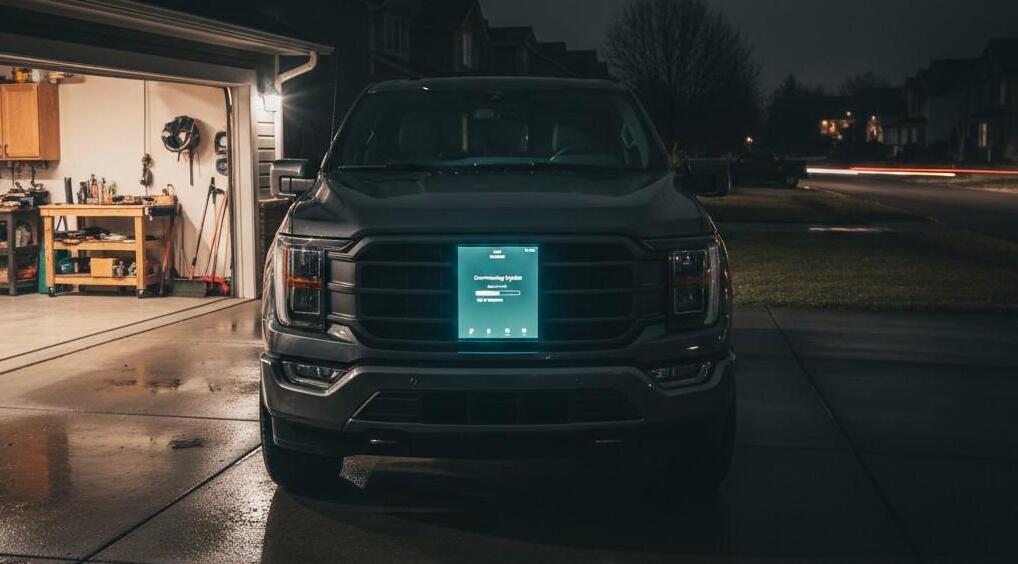
Over-the-air updates, called Ford Power-Up updates, are wireless software improvements delivered to your truck’s systems through its built-in 5G modem or a connected Wi-Fi network. No USB drive, no dealership appointment, no waiting.
Ford began offering OTA updates with the 2021 F-150 when it introduced SYNC 4. The 2026 F-150 carries that system forward with a 5G modem now standard across all trims including the base XL — even base fleet trucks receive updates faster than before.
Ford’s official OTA FAQ covers notification types, scheduling, and troubleshooting: ford.com — Software Update FAQs
The Two Types of Ford OTA Updates
Background updates install while the truck is operating normally. These cover infotainment improvements, SYNC interface changes, and non-critical system updates. The current software version keeps running while the update installs on a separate inactive partition — Ford uses A/B partitioning, which eliminates the risk of a failed update bricking any system.
Non-drivable updates require the truck to be parked with the ignition off. These cover powertrain control, driver assistance calibrations, and other modules that can’t be changed while the vehicle is in motion. Ford sends a notification 24 hours before these updates are scheduled, and you have a window to postpone if you need the truck right then.
What Actually Gets Updated
- SYNC system updates: Interface improvements, CarPlay/Android Auto compatibility, navigation database refreshes
- BlueCruise map updates: New mapped highway sections added automatically when the Ford Connectivity Package is active
- Powertrain control module updates: Can affect throttle response, transmission shift timing, and hybrid system calibration
- Driver assistance calibration updates: Refine Co-Pilot360 behavior, including lane keeping sensitivity and AEB response
- Security patches: Close known vulnerabilities in connected systems silently and automatically
That BlueCruise map update point matters practically: without an active Connectivity Package subscription, BlueCruise stops receiving expanded Blue Zone coverage. The two systems are linked.
→ How the Connectivity Package subscription interacts with OTA and BlueCruise: Ford Connectivity Package 2026: Is the $745 Upgrade Actually Worth It?
How to Set It Up
- On the SYNC touchscreen: Go to Settings → System Updates. Move the Automatic Updates slider to On.
- Tap Schedule to set a recurring time for non-drivable updates, such as 2 AM on weekdays.
- On the FordPass app: Open the app, tap Vehicle → Software Updates. Enable Automatic Updates.
- Connect the truck to your home Wi-Fi through SYNC settings under Network for faster downloads.
Ford sends push notifications to the FordPass app when updates are available, and an email 12 hours before non-drivable updates are scheduled to begin.
The Ownership Model Nobody Talks About
A 2018 F-150 you buy today is a 2018 F-150. Its software is what it shipped with. Its capability on day one is its ceiling.
A 2026 F-150 you buy today can be genuinely better two years from now than it was when you drove it off the lot. Ford pushed a trailer camera recalibration update in Q4 2025 that improved fifth-wheel hitch accuracy. Owners didn’t know it was coming. They didn’t pay for it. They woke up to a more capable towing tool.
This is the behavior of a software company applied to a pickup truck. For buyers who keep vehicles 6 to 10 years, this model has real long-term value. Features that exist in the truck’s hardware but aren’t yet active at purchase can potentially be unlocked via software later.
→ The full OTA-enabled tech stack — SYNC 4, BlueCruise, Connectivity — is covered in our: 2026 F-150 Smart Tech Features: The Complete Guide for Drivers Who Live in Their Truck
Limitations and What to Expect Realistically
Ford’s update rollout happens in waves across VINs. Some owners receive an update weeks before others. This is intentional staged rollout, not a bug. Check your FordPass app rather than assuming you have the latest version.
Not every update delivers noticeable changes. Many are behind-the-scenes security patches or minor calibrations. The meaningful feature additions are less frequent. And as noted above, the Connectivity Package subscription affects BlueCruise map updates specifically — let that lapse and map coverage stops growing.
The community-maintained Ford Power-Up version history at github.com/elmedico27/fordpowerup is the most complete public record of every named OTA update since 2020.
FAQs
Do F-150 over-the-air updates cost anything?
No. Ford Power-Up OTA updates are free for vehicles with SYNC 4 or SYNC 4A. Some features that arrive via OTA may require an active Connectivity Package or BlueCruise subscription to use, but the updates themselves are free.
How do I know if my 2026 F-150 received an update?
Check the FordPass app under Vehicle → Software Updates for a history of installed updates. You can also check in SYNC under Settings → System Updates.
Do F-150 OTA updates affect the powertrain or just the infotainment?
Both. Powertrain control module updates push via OTA and can affect throttle response, shift timing, and hybrid calibration.
Can I turn off OTA updates on my 2026 F-150?
Yes. In SYNC settings under System Updates, you can disable automatic updates. Ford recommends keeping them on.
How long does a non-drivable OTA update take?
Typically 10 to 30 minutes for the installation phase after the download is complete. Downloads happen in the background in advance.
The Bottom Line
F-150 over-the-air updates are one of the 2026 model’s most underappreciated ownership advantages. For a truck you plan to own for 7 to 10 years, having a manufacturer that actively improves the software stack is substantively valuable in a way that tow ratings and horsepower numbers can’t capture. Set up automatic updates, connect to home Wi-Fi, and let it run.