
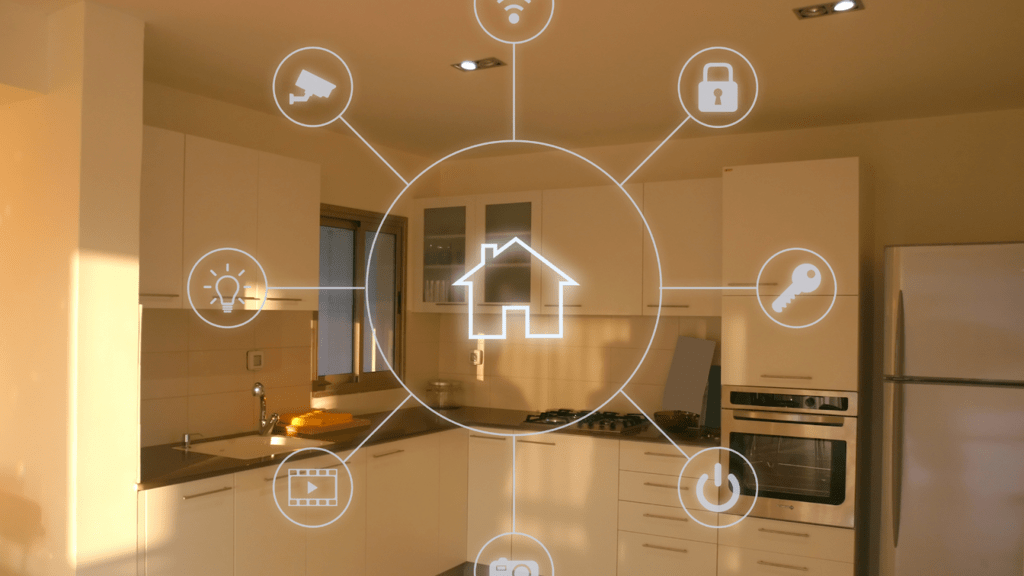

Smart homes make life easier, but they also open doors to serious digital risks you may not see coming. A recent analysis of more than 6.1 million smart homes and 58 million IoT devices shows just how widespread those threats are. Let’s break down what really matters, with practical security tips you can start using today.
Why Your Smart Home Is More Vulnerable Than You Think
Before fixing anything, it’s key to understand where the risks come from. Everyday gadgets like smart doorbells, cameras, and voice assistants can be exploited if left unsecured. Any one of them can become an entry point for attackers.
Where Hackers Love to Break In
Factory-default passwords make hacking easy because most people never change them, and unsecured Wi-Fi is like leaving your front door open at 2 AM. Outdated firmware contains known flaws cybercriminals actively hunt for. Plus, shady third-party apps with excessive permissions can expose your entire network.
What Actually Happens When Things Go Wrong
Privacy is the first victim as attackers spy through cameras, track schedules, or eavesdrop via smart speakers. Stolen personal data fuels identity theft, while ransomware can lock down your entire system. Even worse, hacked smart locks can let intruders walk right in.
Now that you see where the weak spots are, let’s build some real defenses.
Security Tip 1 – Lock Down Your Network Like a Pro
Your router is the front gate for everything connected in your home, and if it’s weak, nothing else you do matters. Treat it like mission control, your entire smart setup relies on keeping it tight. A secure network stops threats before they ever touch your devices.
Router Security That Actually Works
Swap those default admin credentials immediately and enable WPA3 if available, because WPA2 is aging fast. Enable two-factor authentication wherever possible and keep your software and firmware up to date to patch vulnerabilities. For those who travel often, using esim pay as you go can help you stay connected securely to your home’s smart system without relying on public Wi-Fi. With the right precautions, you can enjoy the comfort of modern living while keeping your smart home protected.
Don’t Sleep on DNS Protection
DNS-over-HTTPS with services like Cloudflare or Quad9 blocks malicious domains before they hit your gear, adding serious safety at the router level. It’s one of the simplest upgrades with a huge payoff. But even the most hardened network can’t save you if attackers can guess their way into your devices.
Security Tip 2 – Become a Password Master
Solid passwords and proper authentication are what separate your secure smart home devices from sitting ducks.
Multi-Factor Authentication Is Non-Negotiable
Turn on MFA everywhere it’s offered. This one move stops most automated attacks cold. Get yourself a password manager to create and store unique passwords for every single device – reusing passwords is basically asking for trouble.
For critical stuff like smart locks or security systems? Hardware security keys are your best friend. Biometric authentication adds convenience without compromising safety.
Smart Access Management
Give family members different permission levels. Your kids don’t need admin rights to your smart home hub, right? Guests should get temporary access that automatically expires. Keep tabs on login activity to spot weird attempts early.
Strong passwords build walls, but outdated firmware hands attackers a skeleton key to waltz right past them.
Security Tip 3 – Stay Obsessed with Updates
Software updates patch security holes before bad actors exploit them. If you’re serious about how to protect smart home setups, this isn’t optional.
Making Updates Automatic (When You Can)
Switch on automatic updates wherever possible. For devices that need manual updates, set up a monthly reminder. Do your homework when buying new gadgets – some manufacturers support their products way better than others.
Check those end-of-life dates. Brands with solid security reputations will keep pushing patches and support your devices for years down the line.
Keeping everything updated closes known vulnerabilities, but manufacturers often grab way more data than they need by default.
Security Tip 4 – Take Control of Your Privacy Settings
Privacy settings prevent your devices from turning into surveillance equipment that works against you instead of for you.
Auditing What Your Devices Actually Do
Check which gadgets have camera, microphone, or location access. Kill features you’re not using. Opt out of data sharing and analytics programs whenever you can.
Voice assistants with always-on listening? Turn that off when privacy matters. Delete voice recordings regularly so you’re not building up years of data. Physical mute switches give you confidence that software toggles just can’t match.
Tightening permissions stops unauthorized snooping, but what if you’ve already been breached?
Security Tip 5 – Set Up Real-Time Monitoring
Detection tools sound the alarm in real-time, letting you respond fast enough to limit damage. Between January and October 2025, security systems caught 13.6 billion attacks and stopped 4.6 billion attempts to exploit vulnerabilities in consumer IoT devices. That’s a staggering number.
Tools That Watch Your Network
Get real-time traffic analysis showing which devices are talking to what. Mobile apps let you monitor your network from anywhere, alerting you to weird connections instantly.
AI-powered anomaly detection learns your normal patterns and flags anything unusual. This proactive approach catches problems before they blow up.
Backup Connectivity for Security Devices
Security cameras need rock-solid connections. When your main internet drops during a break-in, you’re exposed. Using pay-as-you-go eSIM data solutions as backup internet for security cameras keeps surveillance running during outages. Failover setups automatically jump to cellular when needed, maintaining protection without gaps.
Run security audits regularly. Monthly device checks plus quarterly deep-dives keep your system bulletproof.
Detection alerts you to problems, but you need a plan to respond effectively.
Security Tip 6 – Have a Response Plan Ready
Smart home safety measures mean preparing for worst-case scenarios before they unfold.
Getting Rid of Devices Safely
The factory reset everything before selling or tossing it. Unlink accounts and double-check that data’s actually gone. Too many people sell smart devices with their personal info still on them – easy pickings for identity thieves.
When Something Goes Wrong
Write out a step-by-step checklist for breaches. Know how to disconnect compromised devices quickly. Keep manufacturer contacts and authority numbers handy. Document everything if something goes sideways – you’ll need it for insurance or legal stuff.
Teaching Your Household
Everyone living with you needs to know basic security practices. Recognizing phishing attempts targeting smart home accounts is crucial. Safe app installation habits stop malware from sneaking in through innocent-looking downloads.
With these six core strategies implemented, you’ve built solid protection using best practices for smart home security that tackle the most common threats facing connected homes.
Essential Security Tools Comparison
| Tool Type | Purpose | Best For | Cost Range |
| Network Monitoring Apps | Real-time traffic analysis | Detecting unusual activity | Free – $10/month |
| Password Managers | Unique credentials for each device | Authentication security | $3 – $5/month |
| VPN Services | Encrypted connections | Remote access protection | $5 – $12/month |
| Hardware Firewalls | Network-level filtering | Advanced users | $50 – $300 |
| Security Scanners | Vulnerability detection | Monthly audits | Free – $20/month |
Common Questions About Keeping Your Smart Home Secure
How often should I update passwords on smart devices?
Every 90 days for high-stakes devices like cameras and locks. Other stuff can go longer if you’re using strong, unique passwords through a password manager. Set calendar reminders so you don’t forget.
Can smart locks be hacked even with strong passwords?
Yeah, through firmware holes or physical tampering. But strong authentication cuts your risk way down. Pick locks that get regular security updates, enable MFA when it’s offered, and watch those access logs for anything fishy. Nothing’s bulletproof, but layers help a ton.
What should I do if I suspect a breach?
Disconnect the compromised device from your network immediately. Change every password, starting with your router and critical devices. Run security scans on your network. Contact manufacturers and keep a close eye on your financial accounts. Document everything in case you need to file reports.