
Last updated: February 2026 | Part of the 2026 F-150 Smart Tech Features series
This article is part of our complete guide to 2026 F-150 smart tech features — including BlueCruise, Pro Power Onboard, OTA updates, and the Connectivity Package.
Most F-150 buyers make the SYNC decision by accident. They pick a trim for the seats or the tow package, and whatever infotainment system comes on that trim is what they drive for the next eight years. But if you spend significant time in the cab and use the truck’s tech heavily, the SYNC 4 vs SYNC 4A question is actually worth answering before you sign the paperwork.
The Core Difference in One Sentence
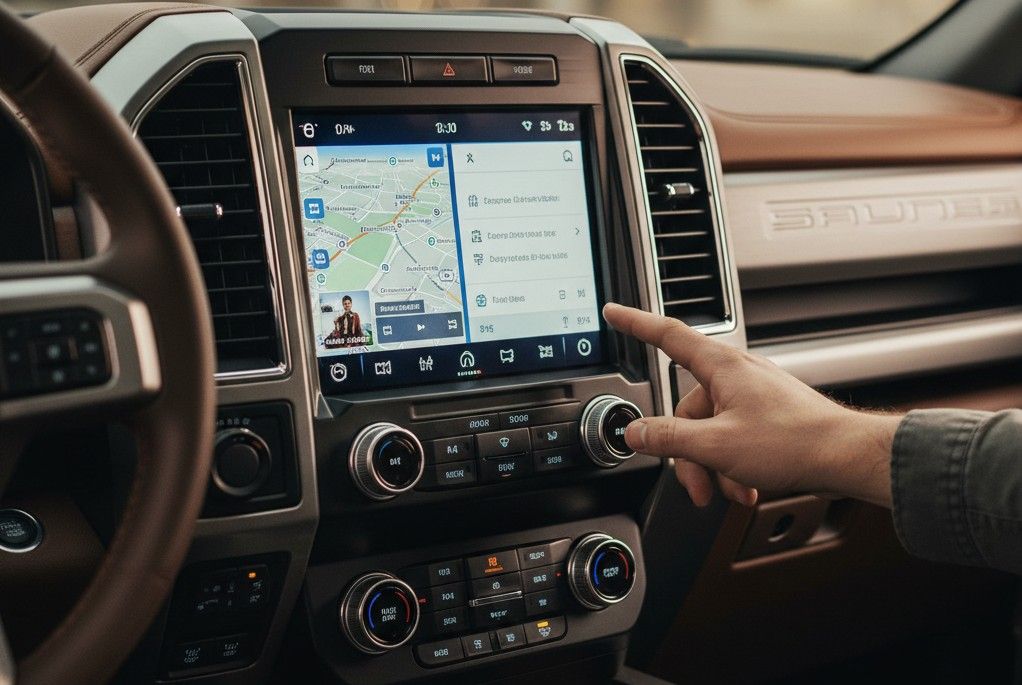
SYNC 4 is a 12-inch horizontal display with smartphone-style navigation, wireless CarPlay and Android Auto, and OTA update capability. SYNC 4A is the same system on a larger, portrait-oriented screen (up to 15.5 inches) with Adaptive Dash Cards, a more capable voice command layer, and deeper personalization features.
Both support OTA updates. Both support wireless CarPlay and Android Auto. Both include split-screen multitasking. The gap is in screen real estate, voice intelligence, and how the interface adapts to your habits over time.
Ford’s official comparison of SYNC 4 and SYNC 4A, including a side-by-side video, is at ford.com: What are SYNC 4 and SYNC 4A?
Physical Differences: Screen Size and Orientation
| Feature | SYNC 4 | SYNC 4A |
| Orientation | Horizontal | Vertical (portrait) |
| Screen size | 12 inches | 12 or 15.5 inches |
| Adaptive Dash Cards | No | Yes |
| Voice command depth | Standard | Enhanced (cloud) |
| OTA updates | Yes | Yes |
| Wireless CarPlay/Android Auto | Yes | Yes |
Adaptive Dash Cards: What They Are and Why They Matter
Adaptive Dash Cards are dynamic tiles at the top of the SYNC 4A display that rearrange themselves based on how you use the truck. If you navigate to work every weekday at 7 AM, your navigation card surfaces automatically. If you mostly call one contact during your commute, that contact surfaces without digging through menus.
SYNC 4, by contrast, keeps a fixed interface structure. The Adaptive Dash Card system reduces friction for high-frequency tasks — particularly relevant if you’re using voice commands to interact with an active Connectivity Package subscription, where Google Assistant integration is deeper on SYNC 4A.
→ The Connectivity Package affects voice and navigation depth on both SYNC systems. See the full breakdown: Ford Connectivity Package 2026: Is the $745 Upgrade Actually Worth It?
Voice Command Comparison
Both systems support natural language voice recognition. The difference is how deeply the voice layer understands context and handles complex requests. SYNC 4A’s enhanced voice recognition connects more deeply to cloud-based processing.
Asking “navigate to a CAT scale truck stop within 15 miles with diesel” will get a more accurate response from SYNC 4A than SYNC 4. When the Ford Connectivity Package is active, both systems support Google Assistant and Amazon Alexa Built-in on top of Ford’s native assistant.
Which Trims Get Which System on the 2026 F-150
| Trim | System | Max Screen Size |
| XL / STX / XLT | SYNC 4 | 12″ horizontal |
| Lariat / Tremor | SYNC 4 | 12″ horizontal |
| King Ranch | SYNC 4A available | Up to 15.5″ vertical |
| Platinum | SYNC 4A standard | 15.5″ vertical |
| Raptor | SYNC 4A available | Up to 15.5″ vertical |
Note: BlueCruise is available on XLT and above for 2026, which means XLT buyers get SYNC 4 but can add BlueCruise. If that combination matters to you, see our full
F-150 BlueCruise hands-free driving guide for how the system interacts with SYNC 4’s display.
The Real Cost of Upgrading to SYNC 4A
You can’t buy SYNC 4A as a standalone option. The jump from Lariat to King Ranch or Platinum represents roughly $10,000 to $15,000 in base MSRP difference, though those trims also add leather seating, premium audio, and other features. You’re not paying $10,000 just for the screen.
One critical and often-overlooked fact: SYNC 4 cannot be upgraded to SYNC 4A post-purchase. The display hardware is different. If you want SYNC 4A’s 15.5-inch vertical display, you need to order a trim that includes it.
Ford explicitly confirms this in its support documentation: “SYNC 4 cannot be upgraded to SYNC 4A” — ford.com support
FAQs
Can SYNC 4 be upgraded to SYNC 4A after purchase?
No. The systems use different display hardware. SYNC 4 cannot be upgraded to SYNC 4A post-purchase — confirmed by Ford’s official support documentation.
What is the main difference between SYNC 4 and SYNC 4A?
SYNC 4A adds Adaptive Dash Cards, a larger portrait-oriented screen option (up to 15.5 inches), and a more capable voice command layer. Both support wireless CarPlay, Android Auto, OTA updates, and split-screen multitasking.
Does SYNC 4 support over-the-air updates?
Yes. Both SYNC 4 and SYNC 4A receive Ford’s Power-Up OTA updates wirelessly. See our F-150 OTA updates guide for how to set up automatic updates.
Which 2026 F-150 trims have SYNC 4A?
King Ranch, Platinum, and Raptor trims have SYNC 4A with access to the 15.5-inch display. XL through Lariat and Tremor use SYNC 4 with a 12-inch display.
The Recommendation
Choose SYNC 4 if you primarily use CarPlay or Android Auto, spend moderate time in the cab, and don’t need the largest available display. Choose SYNC 4A if you regularly use the truck’s native navigation, interact heavily with voice commands, or want the 15.5-inch display for split-screen on long commutes.
Neither choice is wrong. But the upgrade path is permanently closed post-purchase. If SYNC 4A matters to you, make that decision before delivery day — just like the Connectivity Package’s $745 one-time option.
→ For the full 2026 F-150 tech picture — including how SYNC, OTA updates, Pro Power, and BlueCruise interact as a system — see our complete guide: 2026 F-150 Smart Tech Features: The Complete Guide for Drivers Who Live in Their Truck