

Animating photos has never been easier, thanks to the rise of image-to-video AI tools. These innovative platforms allow anyone – whether you’re a content creator, marketer, or just someone wanting to bring old family photos to life – to transform static images into dynamic videos with minimal effort. If you’ve ever wanted to add motion to your still images for social media, marketing, or personal projects, you’re in the right place. Let’s dive in!
What Are Image-to-Video AI Tools?
Image-to-video AI tools are software platforms powered by artificial intelligence that can convert static photos into animated videos. By analyzing the elements in an image, these tools apply motion effects, transitions, and sometimes even sound to create a seamless video clip. Some tools can animate specific parts of a photo (like making a person’s face smile) or blend multiple images into a storytelling sequence. The beauty of these tools lies in their simplicity – they eliminate the need for complex editing skills or expensive software, making animation accessible to everyone.
Step-by-Step Guide to Animating Photos with AI Tools
Animating photos with AI is straightforward, even if you’re a complete beginner. Follow these steps to get started:
1. Choose the Right AI Tool
The first step is selecting a user-friendly image-to-video AI tool that suits your needs. There are many options available, each with unique features like templates, animation styles, and customization levels. Look for a platform that offers an intuitive interface and supports the type of animation you want to create.
2. Upload Your Photo
Once you’ve chosen a tool, upload the photo you want to animate. Ensure the image is high-quality, as clearer photos often result in smoother animations. Some tools allow you to upload multiple images if you’re creating a sequence or slideshow-style video.
3. Select Animation Effects
Most AI tools offer preset animation effects, such as zooming, panning, or adding motion to specific elements (like making water ripple or hair move in the wind). Choose an effect that complements the mood or story of your photo. If the tool provides templates, pick one that aligns with your vision.
4. Customize Your Video
Depending on the platform, you can often add text overlays, background music, or transitions to enhance the animation. Adjust the duration of the video to fit your intended platform – shorter clips work best for social media like TikTok or Instagram Reels.
5. Preview and Export
Preview the animated video to ensure it looks as expected. Make any final tweaks if needed, then export the file in a format suitable for your purpose, such as MP4. Many tools allow you to download directly or share the video to social media platforms.
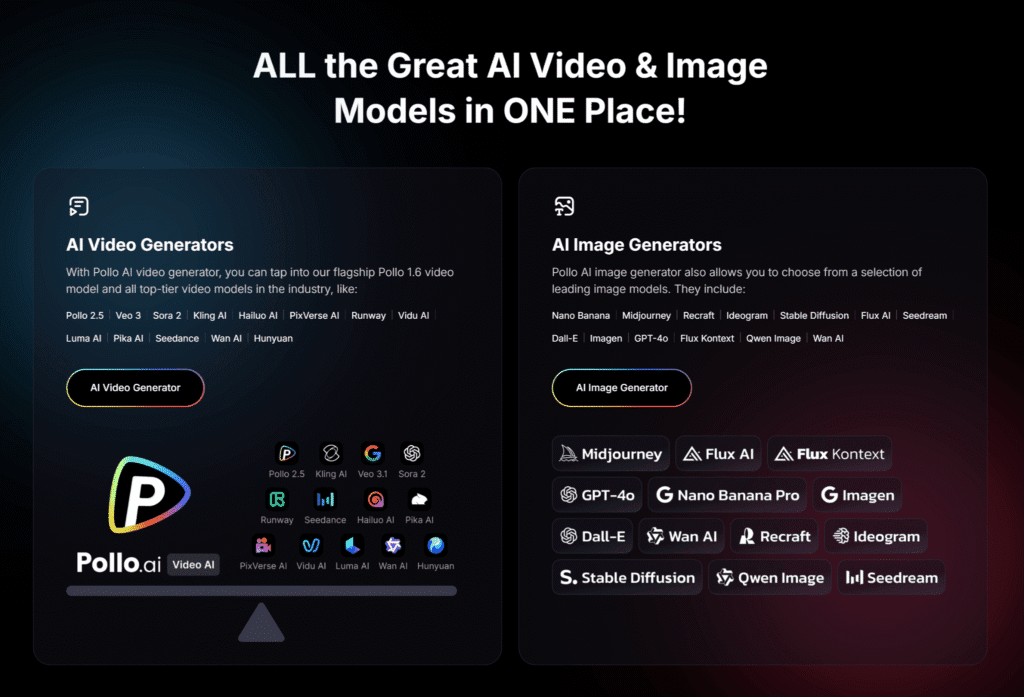
When it comes to converting image to video, Pollo AI stands out as an exceptional choice. This all-in-one AI agent is perfect for beginners and pros alike, offering a no-edit, one-click solution to generate viral videos from your static images. Simply upload your photo or input an idea, and Pollo AI handles everything – adding motion, transitions, and effects to create a polished clip in seconds.
It even offers access to many popular AI video generators such as Google Veo3, NanoBanana, etc. If you’re looking to animate photos without the hassle of manual editing, Pollo AI is a must-try.
Tips for Getting the Best Results When Animating Photos
- Use High-Resolution Images: Low-quality photos can result in blurry or pixelated animations. Opt for clear, high-resolution images for the best output.
- Keep It Subtle: Over-animating can make a video look unnatural. Start with simple effects like a gentle zoom or slight movement to maintain authenticity.
- Match the Mood: Choose animations and music (if available) that reflect the emotion or story behind the photo, whether it’s nostalgic, playful, or professional.
- Test Different Tools: Each AI platform has unique strengths. Experiment with a few to find the one that best suits your style and needs.
- Optimize for Platforms: Ensure your video dimensions and length are tailored for the platform you’re posting on – vertical for Instagram Stories, square for feeds, etc.
Benefits of Using AI to Animate Photos
Animating photos with AI tools comes with several advantages that make them a go-to solution for content creators:
- Accessibility: No prior video editing experience is needed – AI does the heavy lifting for you.
- Speed: Transform a photo into a video in minutes, ideal for keeping up with fast-paced social media trends.
- Cost-Effectiveness: Avoid the expense of hiring professionals or purchasing advanced software.
- Creativity: Experiment with a range of effects and styles to bring unique flair to your content.
Challenges to Keep in Mind
While image-to-video AI tools are incredibly powerful, they’re not perfect. Some platforms may struggle with animating complex images or producing high-quality results for intricate details. Additionally, the output can sometimes look artificial if the AI misinterprets elements of the photo. However, as technology advances, these limitations are rapidly diminishing, and most tools offer previews so you can adjust before finalizing your video.
Conclusion
Animating photos using image-to-video AI tools is a fun, accessible, and innovative way to breathe life into static images. Whether you’re enhancing social media posts, creating marketing content, or preserving personal memories, these tools simplify the process, delivering professional results without the need for technical expertise.
Ready to animate your first photo? Pick a tool, start experimenting, and share your creations with us in the comments below.